The fix for literal <br> tags is now available as an update for Memo 1.0.10 on iPhone and iPad. Open Memo → Settings → App updates → Check for Updates, then restart when prompted. If no update is offered, please send your Memo app version through the in-app support chat.
I verified the line breaks in the iPhone simulator, but I haven’t confirmed the result on your device. The original equation issue remains open. Please let me know whether the line breaks display correctly after updating.
Thanks!
Jason Co-founder of Memo
Jason From Memo
Team•
Oct 1
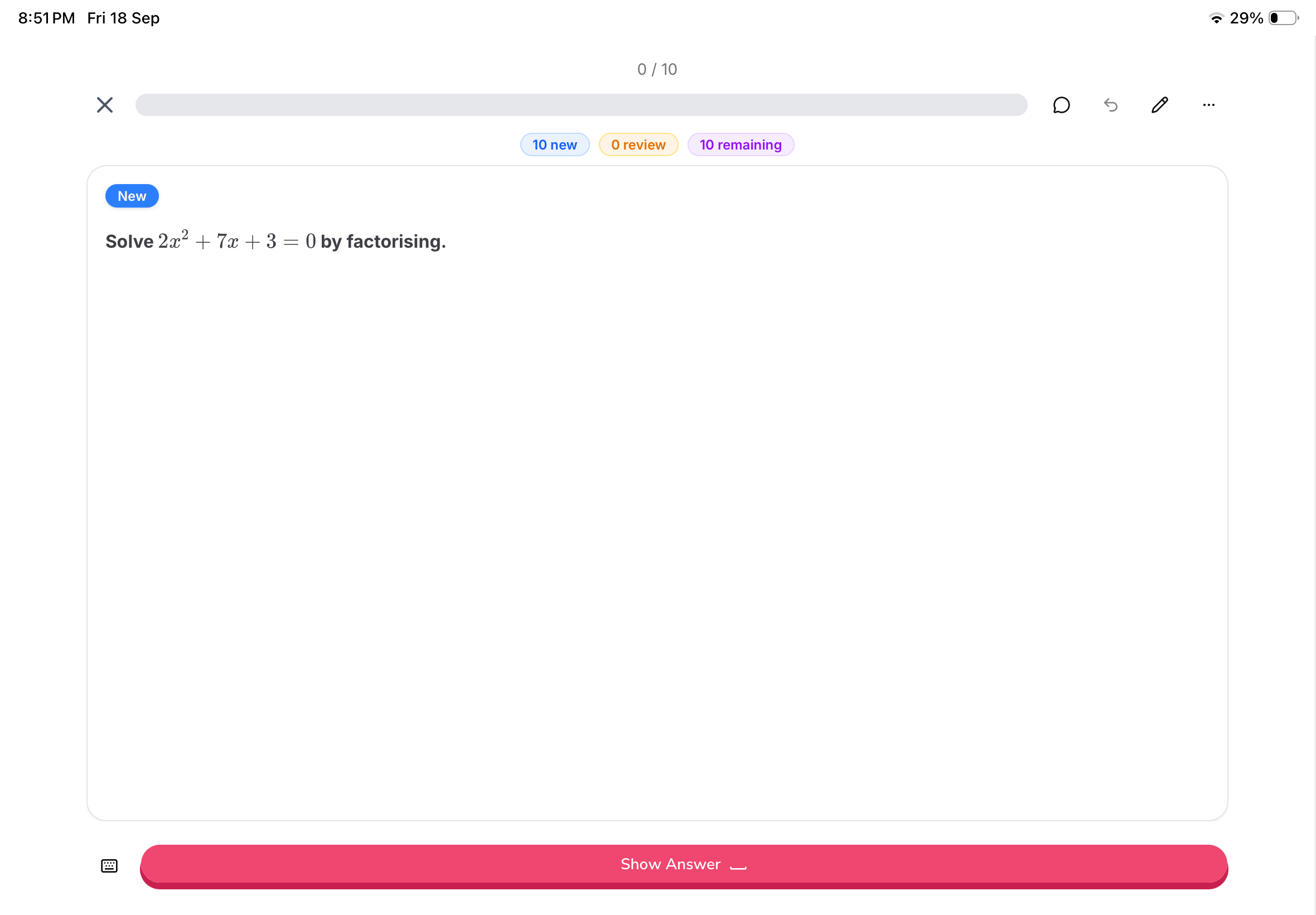
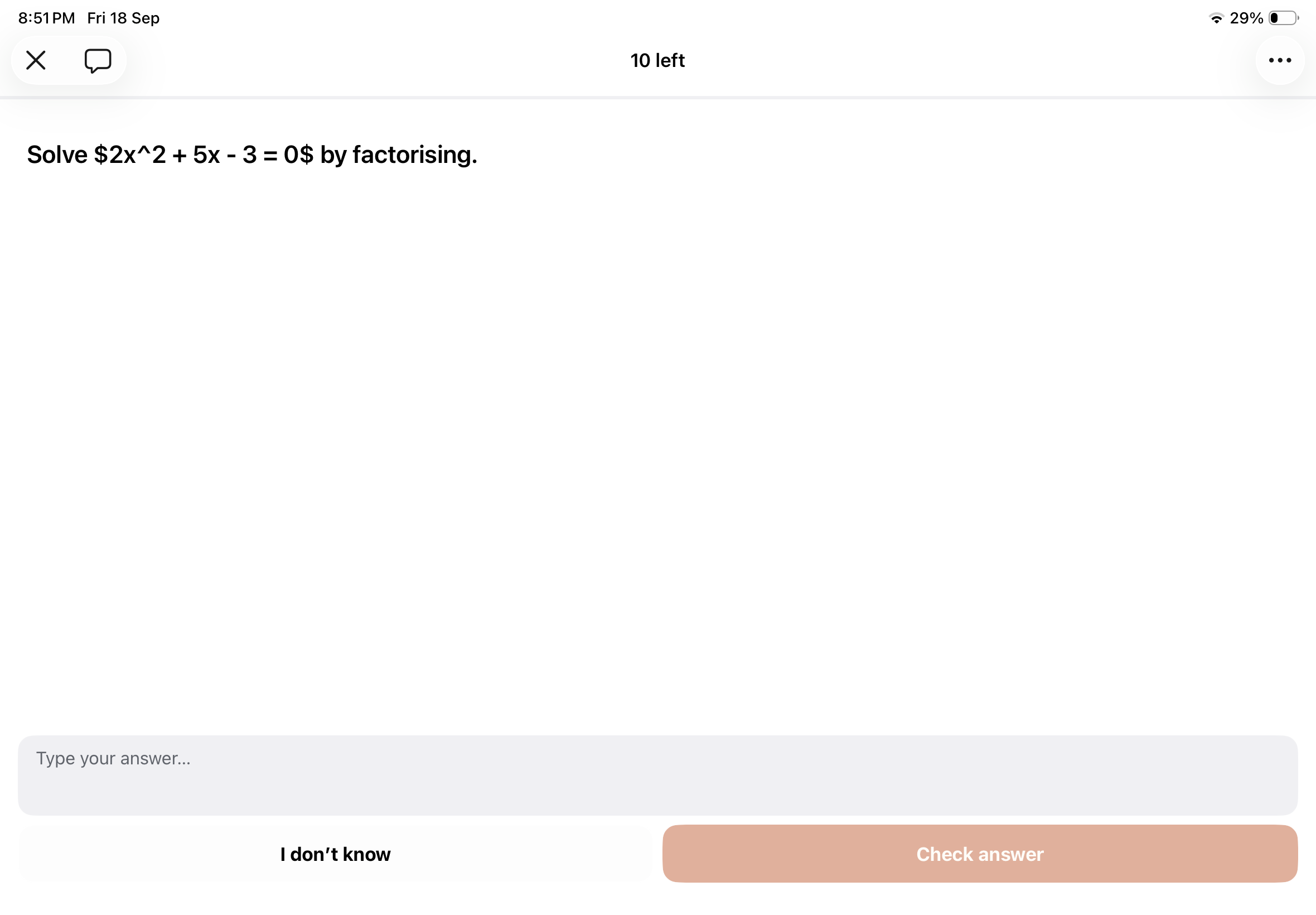
I can see the literal <br> tag in the iPhone Learn screenshot, while the web screenshot shows the intended line break. I’m checking that rendering path. I haven’t verified a fix in the released iOS app, and the original equation issue also remains open. Could you send your Memo app version through the in-app support chat?
Thanks!
Jason Co-founder of Memo
An Anonymous User
•
Sep 29
HTML syntax also got problem in app
An Anonymous User
•
Sep 19
This is another screenshot showing the equation in the MEMO iPhone app.
Comments4
Jason From Memo
Oct 1
The fix for literal <br> tags is now available as an update for Memo 1.0.10 on iPhone and iPad. Open Memo → Settings → App updates → Check for Updates, then restart when prompted. If no update is offered, please send your Memo app version through the in-app support chat.
I verified the line breaks in the iPhone simulator, but I haven’t confirmed the result on your device. The original equation issue remains open. Please let me know whether the line breaks display correctly after updating.
Thanks!
Jason
Co-founder of Memo
Jason From Memo
Oct 1
I can see the literal <br> tag in the iPhone Learn screenshot, while the web screenshot shows the intended line break. I’m checking that rendering path. I haven’t verified a fix in the released iOS app, and the original equation issue also remains open. Could you send your Memo app version through the in-app support chat?
Thanks!
Jason
Co-founder of Memo
An Anonymous User
Sep 29
HTML syntax also got problem in app
An Anonymous User
Sep 19
This is another screenshot showing the equation in the MEMO iPhone app.
Please help fix it.
Linked to Critical LaTeX Rendering Bug and Native App Regressions